Mastering the 3D Retro Vintage Text Effect
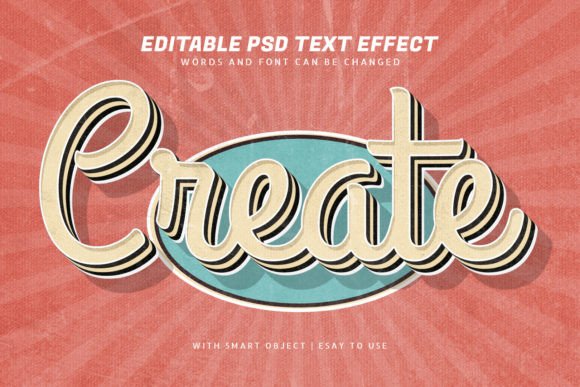
There is a specific kind of nostalgia that hits when you see bold, dimensional lettering reminiscent of mid-century signage or classic movie posters. It feels warm, established, and undeniably cool. Achieving this look manually in design software used to be a tedious process involving multiple layer styles, manual shading, and hours of tweaking perspective grids. However, modern design assets have shifted the workflow entirely. The Create 3d Retro Vintage Text Effect template represents a significant leap forward for anyone looking to inject that timeless aesthetic into their projects without getting bogged down in technical complexity.
This isn't just about slapping a filter on a typeface. It is about understanding how light, shadow, and texture interact to create depth. A genuine retro vibe relies on the imperfection of analog printing mixed with the exaggerated depth of vintage illustration. When you utilize a high-quality PSD template built with smart objects, you are essentially bypassing the grunt work to focus on the creative direction. You get the benefit of a professionally constructed lighting setup and texture mapping, allowing you to swap out the text or logo instantly while maintaining the integrity of the 3D illusion.
Why This Style Resonates in Modern Branding
The resurgence of vintage aesthetics isn't accidental; it serves a psychological purpose in brand identity. In a digital landscape saturated with flat, minimalist sans serif font designs, a rich, textured 3D effect stops the scroll. It signals craftsmanship and attention to detail. For entrepreneurs and marketers, this style suggests that a brand has history, even if it was founded last week. It evokes trust and a sense of premium quality.
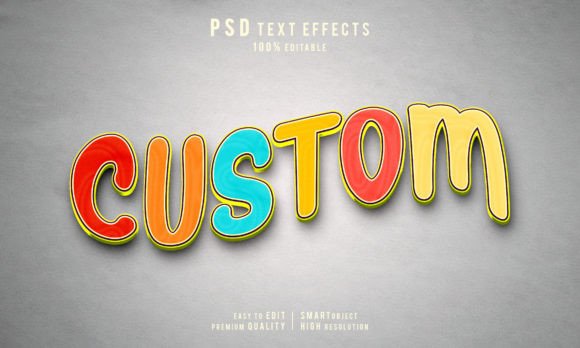
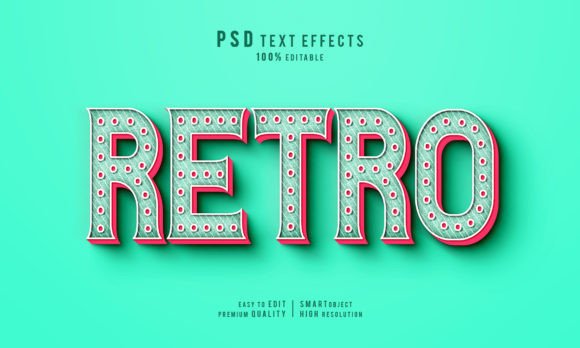
Visually, the Create 3d Retro Vintage Text Effect offers a distinct personality. It often combines heavy, blocky letterforms with beveled edges, drop shadows, and sometimes grainy overlays that mimic old paper or worn paint. This creates a tactile feeling, making the viewer feel as though they could reach out and touch the letters. Whether you are working on packaging design for a craft beer, a label for small-batch coffee, or a promotional poster for a music festival, this style adds weight and presence to the message.
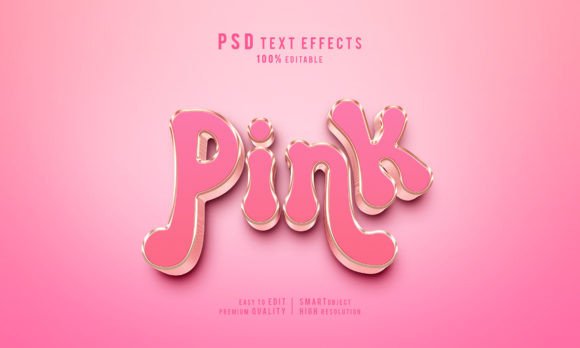
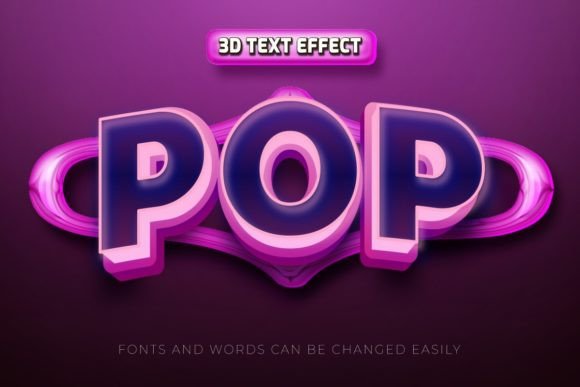
Furthermore, the versatility of this approach cannot be overstated. While it leans heavily into the retro category, the underlying structure works beautifully with various creative font choices. You aren't locked into one specific look. By changing the base font within the smart object, you can shift the mood from a 1950s diner vibe to a 1970s rock concert aesthetic, or even a modern streetwear look, all while keeping the sophisticated 3D rendering intact. This adaptability makes it an invaluable tool for agencies handling diverse client portfolios.
Streamlining Your Workflow with Smart Objects
For designers, time is the most expensive resource. Manually creating realistic 3D text effects requires a deep understanding of blending modes, displacement maps, and lighting angles. A well-organized PSD template eliminates this barrier. The core feature of the Create 3d Retro Vintage Text Effect lies in its use of smart objects. This technology allows you to double-click a layer, type your new text or paste your vector logo, save the file, and watch the main composition update automatically with all the correct shadows, highlights, and textures applied.
This level of editability is crucial for iteration. In a real-world scenario, a client might ask to see the headline in a different serif font or request a slight adjustment to the kerning. Without smart objects, you would have to rebuild the effect from scratch. With this template, those changes take seconds. It empowers non-designers, such as bloggers or small business owners, to produce professional-grade social media graphics without needing a degree in graphic design. The layers are typically named logically, ensuring that even if you need to tweak the color balance or adjust the background texture, you know exactly where to look.
Moreover, because these effects are raster-based but driven by vector-friendly smart objects, you maintain a high degree of quality. You can resize the final output for anything from a business card to a billboard without losing the crispness of the original text input, provided you start with a high-resolution canvas. The included JPEG previews serve as a quick reference, but the true power lies in the editable PSD files, which give you full control over every element of the composition.
Strategic Applications Across Media
Knowing where to deploy this effect is just as important as knowing how to use it. The Create 3d Retro Vintage Text Effect shines brightest in contexts where you need to command attention immediately. In editorial design, it makes for striking magazine covers or chapter headers that break up the monotony of standard body text. For web design, it can be used sparingly on hero sections to create a focal point that draws the eye before the user scrolls down to the content.
In the realm of logo design, this style is particularly effective for businesses wanting to establish a "heritage" feel. Think of barbershops, tattoo parlors, artisanal bakeries, or craft breweries. These industries thrive on the perception of tradition and manual skill. A flat logo might feel too corporate or sterile for them, whereas a 3D vintage treatment aligns perfectly with their brand story. It communicates that the product is handmade, curated, and special.
However, readability must always remain a priority. While 3D effects are visually stunning, they can sometimes reduce legibility if the contrast is too low or the angle is too extreme. When using this template for body copy or critical information, ensure you choose a bold, clear display font that holds up well under the distortion of the 3D effect. Avoid overly delicate script font or handwritten font styles unless the effect is subtle, as complex details can get lost in the shadows and highlights of the retro treatment.
Making the Right Choice for Your Project
Before diving into a project, consider the overall tone you wish to convey. If your goal is sleek, futuristic minimalism, a heavy vintage 3D effect might clash with your modern typography goals. But if you aim for warmth, character, and a touch of rebellion, this is the ideal choice. Evaluate your font pairing carefully. Often, the best results come from contrasting the 3D headline with a clean, simple sans-serif for supporting text. This creates a visual hierarchy that guides the reader's eye naturally.
Also, pay attention to licensing. Most premium templates like the Create 3d Retro Vintage Text Effect come with specific terms regarding commercial use. If you are creating a logo for a client or a product package for sale, verify that the license allows for commercial application. Many high-quality resources offer broad licenses, but it is always prudent to double-check to avoid legal headaches down the line.
Ultimately, tools like this democratize high-end design. They allow you to focus on the message and the strategy rather than the mechanics of software. By leveraging these pre-built, fully editable structures, you can produce work that looks like it took days to render in minutes. Whether you are a seasoned art director or a hobbyist looking to upgrade your Instagram feed, mastering the use of these 3D retro assets opens up a world of creative possibilities that are both efficient and visually impactful.