Unlocking Visual Impact: A Beginner's Guide to Creative Colorful Text Effects in Photoshop
In the fast-paced world of digital design, first impressions are everything. Whether you are crafting a YouTube thumbnail, designing a business logo, or creating a social media banner, the way your text looks can determine whether a viewer stops scrolling or keeps moving. This is where the Creative Colorful Text Effect Style comes into play. It is not merely about choosing a bright color; it is about adding depth, texture, lighting, and dimension to typography to make it pop off the screen.
For many years, achieving these professional-grade results required hours of manual work in Adobe Photoshop. Designers had to meticulously layer gradients, apply complex blending modes, add drop shadows, and adjust bevels to create a single word that looked three-dimensional. However, modern technology has democratized this process. Today, you can achieve stunning, high-end typography using Smart Object templates that require no advanced skills. This article explores what these effects are, why they matter, and how you can utilize them to elevate your creative projects instantly.
What Exactly is a Text Effect Style?
Before diving into the technicalities, it is crucial to clarify a common misunderstanding. When we talk about a "text effect," we are not talking about a font. A font is simply the shape of the letters—the typeface you select from a list, such as Arial, Helvetica, or a custom display font. A text effect, on the other hand, is the styling applied to those letters.
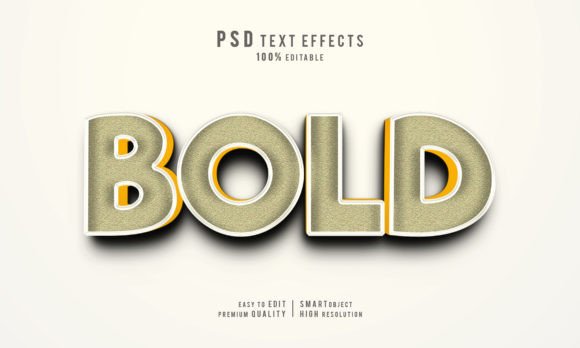
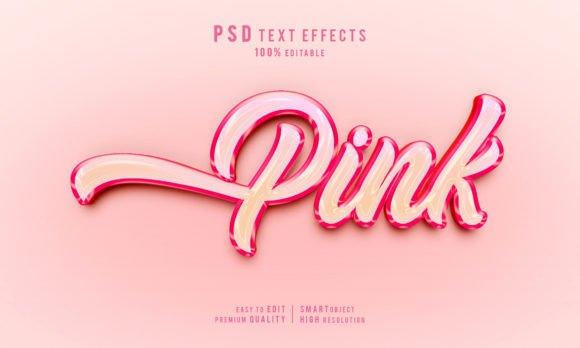
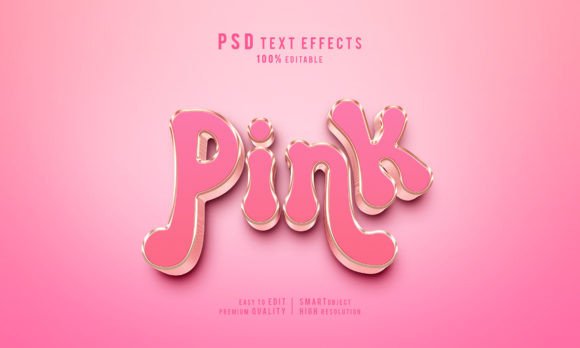
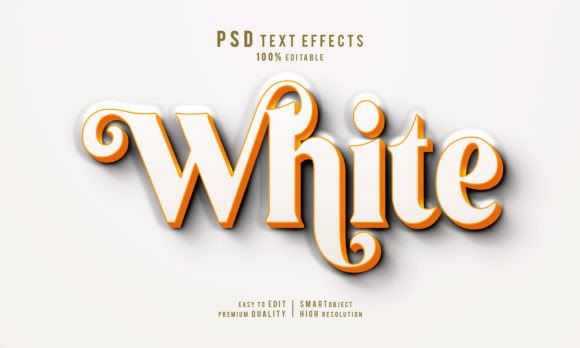
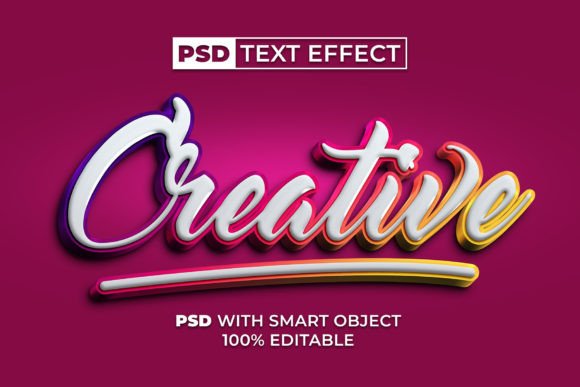
Imagine writing your name with a standard black pen on white paper. That is your font. Now, imagine painting those letters with gold leaf, adding a glowing neon outline, and casting a realistic shadow beneath them. That transformation is the text effect. In the context of Photoshop resources, a Creative Colorful Text Effect is a pre-designed set of layer styles, masks, and adjustments that transform flat text into a vibrant, multi-dimensional masterpiece.
These effects often feature:
- Vibrant Gradients: Smooth transitions between multiple colors to create depth.
- Textures: Overlays that make text look like metal, plastic, glass, or candy.
- Lighting Effects: Simulated light sources that create highlights and shadows.
- Dimensionality: Techniques that make 2D text appear 3D.
The Power of Smart Objects in Modern Design
The true game-changer in this workflow is the use of Smart Objects. In traditional Photoshop editing, if you wanted to change the text in a highly styled design, you might have to rebuild the effect from scratch or risk breaking the layer styles. Smart Objects solve this problem elegantly.
A Smart Object is essentially a container within Photoshop that preserves an image's source content with all its original characteristics. When you download a PSD file featuring a Creative Colorful Text Effect with Smart Objects, you are downloading a template where the complex styling is locked inside this container.
Here is how the magic happens:
- You open the PSD file in Photoshop.
- You locate the specific layer marked as the "Smart Object" (often indicated by a small icon in the corner of the layer thumbnail).
- You double-click this icon, which opens a separate document window.
- In this new window, you simply type your own text or paste your logo.
- Once you save and close this window, the main document automatically updates, applying all the complex colorful effects to your new text instantly.
This "one-click" functionality means there is no skill requirement for the end-user. You do not need to understand blending options, clipping masks, or gradient maps. The heavy lifting has already been done by the creator of the template. This allows beginners to produce work that looks like it came from a senior graphic designer.
Why Use Pre-Made Text Effects?
You might wonder, "Why not just learn to make these effects myself?" While learning Photoshop is a valuable skill, time is often a luxury we cannot afford. In business, education, and content creation, speed is essential. Here is why utilizing these resources is a smart strategic move:
1. Consistency and Professionalism
Amateur designs often suffer from inconsistent lighting or muddy colors. Professional templates are crafted by experts who understand color theory and light physics. By using a high-quality PSD file, you ensure your branding looks polished and cohesive across all platforms.
2. Versatility Across Industries
Creative colorful text effects are not limited to one niche. Consider these practical applications:
- Gaming: Bold, neon-soaked text for Twitch overlays and game logos.
- E-Commerce: Glossy, attractive text for sale banners and product promotions.
- Education: Fun, bubbly text styles for classroom materials or online course thumbnails.
- Events: Elegant, metallic, or glittering text for wedding invitations or party flyers.
3. Cost-Effectiveness
Hiring a graphic designer to create a custom text treatment for every single post can be prohibitively expensive. Purchasing or downloading a versatile PSD pack allows you to generate unlimited variations for a fraction of the cost. Since the file is 100% editable, you can tweak colors, swap fonts (using free fonts included in the package), and adjust sizes without paying extra fees.
Understanding the File Package
When you acquire a Creative Colorful Text Effect resource, you are typically receiving a comprehensive package designed for ease of use. Understanding what is included helps you maximize the value of the download.
The PSD File: This is the heart of the package. It contains all the layers, smart objects, and adjustment layers necessary to render the effect. It is fully organized, meaning layers are named logically, making navigation simple even for novices.
The JPEG Preview: Before you even open Photoshop, the included JPEG file allows you to see exactly what the final result looks like. This is helpful for planning your project layout and ensuring the style matches your vision.
The Readme TXT: Never underestimate the instruction file. The "Readme" usually contains crucial details, such as links to download the specific free fonts used in the design. If you do not install these fonts on your computer before opening the PSD, the text may look different than intended. Following these simple instructions ensures the effect renders perfectly.
Bridging the Gap Between Creativity and Technology
The availability of tools like Smart Object text effects represents a broader shift in how we interact with creative technology. We are moving away from rote technical execution toward curatorial creativity. The value is no longer just in knowing how to click the buttons, but in knowing what looks good and how to apply these tools to communicate a message effectively.
For educators, this means creating engaging visual aids without needing a degree in graphic design. For small business owners, it means competing visually with larger corporations by presenting a sleek, modern brand identity. For hobbyists, it removes the frustration barrier, allowing pure creative expression to take center stage.
Furthermore, these tools encourage experimentation. Because the process is non-destructive and reversible, users feel safe trying different color combinations, fonts, and wording. This trial-and-error process is where true learning happens. You might start by simply swapping the text, but soon you may find yourself tweaking the hue/saturation layers or adjusting the background colors to better suit your needs.
Getting Started: A Quick Workflow
To help you visualize the process, here is a simplified workflow for using a Creative Colorful Text Effect:
- Download and Extract: Save the ZIP file to your computer and extract the contents to a folder.
- Install Fonts: Open the Readme file, download the linked free fonts, and install them on your system. Restart Photoshop if it was open.
- Open the PSD: Launch Adobe Photoshop and open the main PSD file.
- Edit the Smart Object: Double-click the Smart Object layer thumbnail. A new tab will open.
- Input Your Content: Type your desired text or drag and drop your logo vector. Ensure you keep the text on the designated layer.
- Save and Update: Press Ctrl+S (or Cmd+S on Mac) to save the Smart Object. Close that tab and return to the main file.
- Finalize: Your text is now transformed! You can now save the final image as a JPEG or PNG for use in your project.
Conclusion
The Creative Colorful Text Effect Style is more than just a aesthetic trend; it is a powerful tool for communication in the digital age. By leveraging the power of Photoshop Smart Objects, designers of all skill levels can bypass technical hurdles and focus on what truly matters: the message. Whether you are building a brand, teaching a class, or creating content for fun, these resources provide an easy, fast, and professional pathway to stunning visuals.
Remember, great design is not about doing everything from scratch; it is about using the right tools to bring your vision to life efficiently. With 100% editable files, no special skills required, and a universe of colorful possibilities at your fingertips, there has never been a better time to experiment with typography. So, download a template, replace the text, and watch your words come to life in vibrant color.