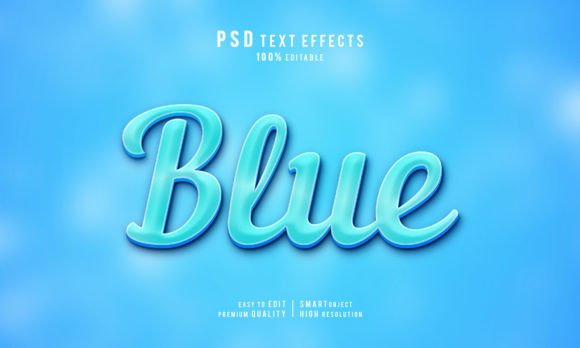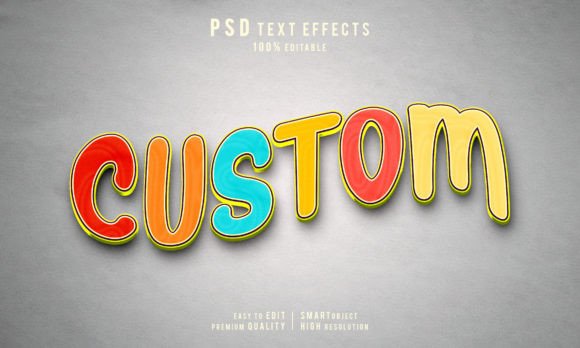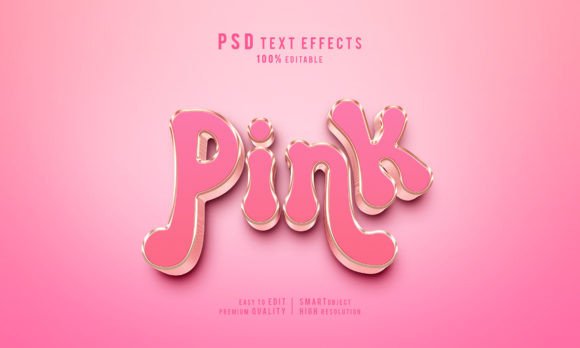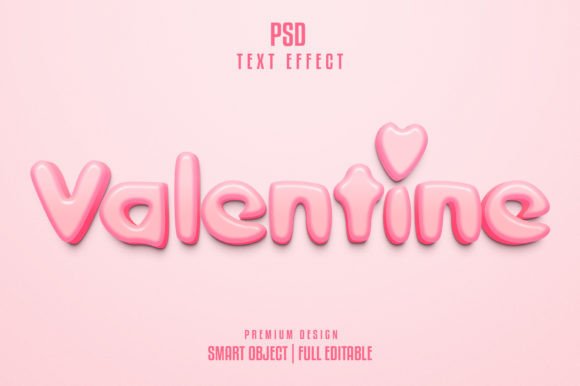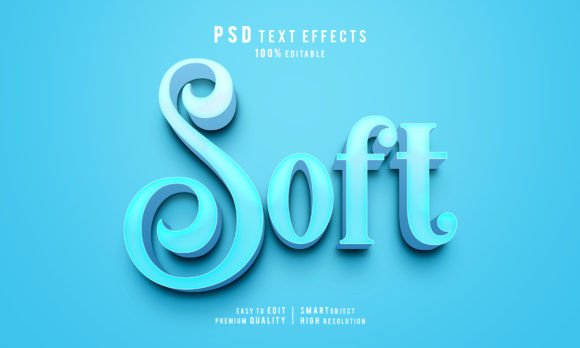
Creative Soft Editable 3D Text Effect for Designers
In the fast-paced world of digital design, first impressions are often made within seconds. Whether you are crafting a YouTube thumbnail, designing a social media ad, or building a brand identity, typography plays a pivotal role in capturing attention. This is where the Creative Soft Editable 3D Text Effect becomes an invaluable asset for creators who need professional results without spending hours rendering complex scenes. It bridges the gap between amateur experimentation and high-end studio quality, offering a streamlined workflow that respects your time while elevating your visual output.
At its core, this resource is more than just a pre-made graphic; it is a fully functional toolkit designed for Adobe Photoshop CC users. The primary appeal lies in its "soft" aesthetic. Unlike the harsh, metallic, or overly glossy 3D styles that dominated the early 2000s, modern design trends favor subtlety, depth, and approachability. A soft 3D effect adds dimension to flat text without overwhelming the viewer, making it perfect for lifestyle brands, educational content, and clean corporate communications. By utilizing advanced lighting and shadow techniques baked into the file, you achieve a tangible sense of depth that makes your message pop off the screen.
Why Efficiency Matters in Modern Design Workflows
For freelancers and agency owners, time is literally money. Creating a convincing 3D text effect from scratch involves navigating complex menus, adjusting extrusion depths, managing multiple light sources, and tweaking material properties. Even for experienced users, this process can take anywhere from thirty minutes to an hour per project. The Creative Soft Editable 3D Text Effect collapses this timeline into mere seconds. Because the heavy lifting regarding lighting and texture has already been handled by the creator, you can focus entirely on the message and the layout.
The inclusion of Smart Objects is the technical backbone that makes this efficiency possible. When you open the included PSD Photoshop file, you aren't just looking at a rasterized image; you are interacting with a dynamic layer structure. Double-clicking the smart object layer allows you to input your own text, save the file, and instantly see your new wording rendered with the same high-quality 3D effects. This non-destructive editing capability ensures that you can iterate through dozens of headline variations during a client meeting without breaking the visual consistency of the design.
Key Features That Enhance Usability
What sets this specific package apart is the attention to detail in the deliverables. It is not just about the visual effect; it is about the completeness of the solution provided to the end-user. Here is a breakdown of the critical components included:
- High-Resolution Output: The files are prepared at 300 DPI, ensuring that your designs look crisp not only on digital screens but also in print materials like flyers, brochures, or product packaging.
- Comprehensive File Formats: You receive the source PSD file for full customization, a high-quality JPG for immediate use or previews, and a helpful text file guide to walk you through any specific nuances.
- Full Editability: Every aspect of the text is adjustable. Beyond just changing the words, the smart object structure often allows for color shifts and minor positioning tweaks to fit different background contexts.
- Font Flexibility: The design utilizes free fonts, removing the barrier of expensive licensing fees or missing font errors when sharing files across teams.
Furthermore, the support aspect cannot be overstated. The creator explicitly offers assistance for special customizing needs. In an industry where templates sometimes come with zero support, having a direct line to ask questions or request minor adjustments adds a layer of security for business users who rely on these assets for critical campaigns.
Practical Applications Across Industries
The versatility of a soft 3D text style means it fits seamlessly into various professional environments. For digital marketers, this effect is ideal for creating eye-catching headers for Facebook and Instagram ads. The added depth increases click-through rates by making the call-to-action feel more tactile and urgent compared to flat text.
Educators and course creators can leverage this tool to design engaging thumbnails for online tutorials. A soft, inviting 3D title suggests a modern, high-production-value course, helping to build trust with potential students before they even click play. Similarly, YouTubers and content creators benefit from the ability to rapidly produce consistent branding elements. Instead of learning complex 3D software like Blender or Cinema 4D, they can maintain a cohesive channel aesthetic using this Photoshop-based workflow.
In the realm of branding and identity, small business owners can use these effects to mock up logos or signage. Before committing to physical production, seeing a brand name rendered in soft 3D helps visualize how it might appear on a storefront or a product label. The 300 DPI resolution ensures that these mockups are presentation-ready for stakeholder meetings.
Making the Most of Smart Objects
To truly harness the power of the Creative Soft Editable 3D Text Effect, understanding the Smart Object workflow is essential. When you replace the placeholder text, pay attention to the character count. While the effect is editable, extremely long phrases might require slight scaling adjustments within the smart object to maintain the proportional integrity of the 3D extrusion. Additionally, because the lighting is pre-baked, placing your text over very dark or very busy backgrounds may require adding a subtle drop shadow or outer glow to the main group layer to ensure legibility.
It is also worth noting the compatibility requirements. This tool is optimized for Adobe Photoshop CC versions. Ensuring your software is up to date guarantees that all rendering engines and smart object filters function correctly. If you are working in a team environment, the included Help file.txt serves as a crucial reference point, standardizing how different team members apply the effect to maintain brand consistency.
Final Thoughts on Value and Implementation
Investing in high-quality design assets is a strategic move for any creative professional. The Creative Soft Editable 3D Text Effect offers a balance of aesthetic sophistication and practical utility. It removes the technical friction of 3D modeling while delivering a polished, professional look that resonates with modern audiences. Whether you are a hobbyist looking to upgrade your personal projects or an entrepreneur needing rapid deployment of marketing materials, this tool provides a reliable foundation.
Remember, the goal of design is communication. By using tools that streamline the production process, you free up mental energy to focus on storytelling and strategy. With features like full editability, high-resolution outputs, and dedicated support, this package stands out as a robust solution for anyone looking to add depth and dimension to their visual communications efficiently. Embrace the ease of smart objects and let your creativity lead, knowing the technical execution is already handled.